
Command Center
The Command Center is the loan officer–facing portal where LOs structure loans, manage tasks, monitor loan status, and submit files to underwriting.
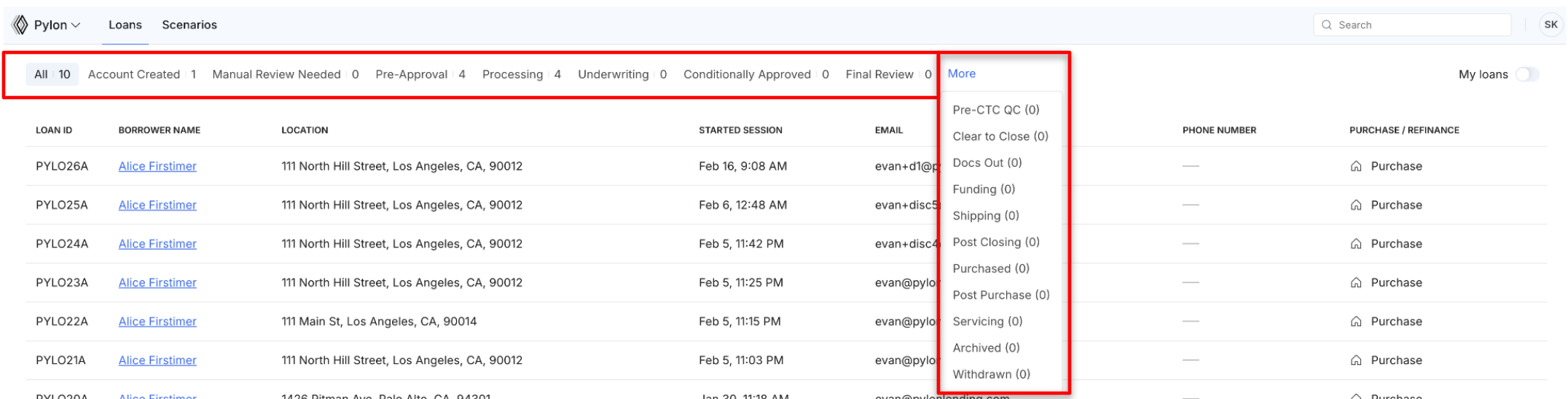
Loans move through a series of defined stages in Command Center, from pre-approval through funding. Each stage reflects where the file is in fulfillment and determines what tasks are required by either the LO or borrower to move it forward.
*Understanding these statuses is critical, as Pylon only works loans that have been submitted to underwriting.
How do I manage tasks?
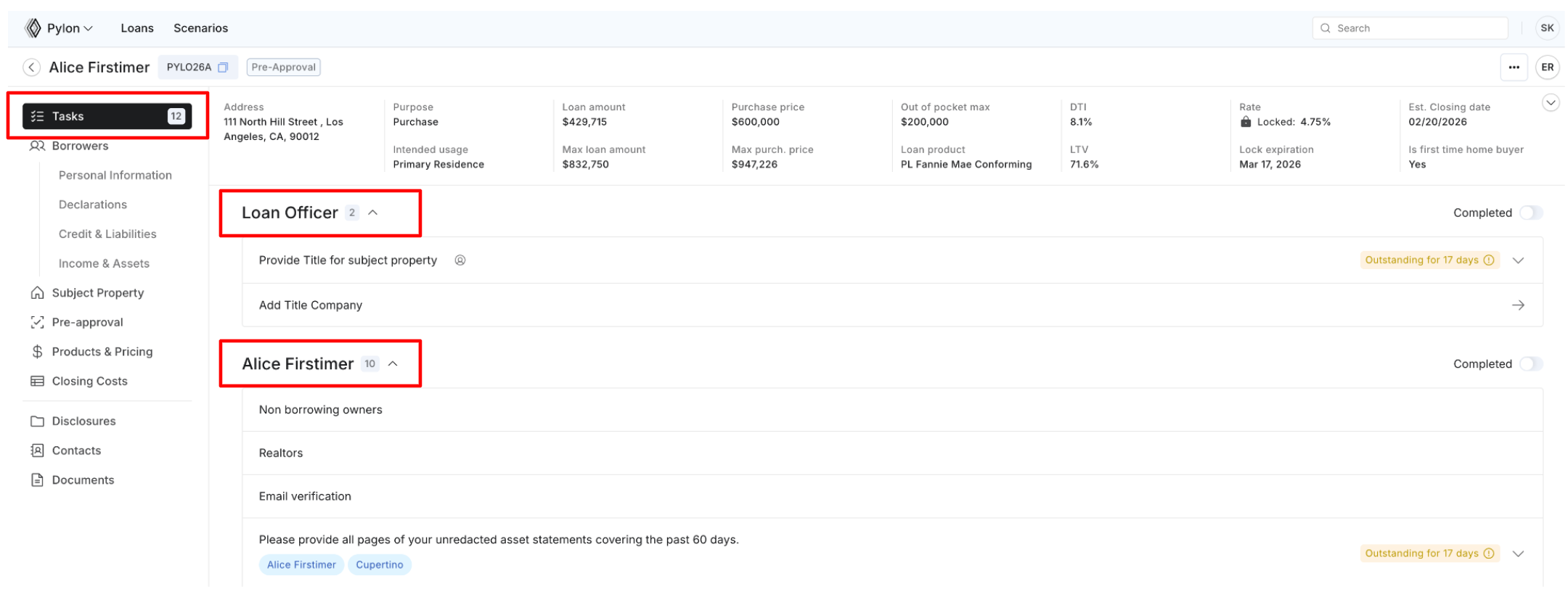
Tasks automatically generate based on the loan profile and application details.
Tasks are divided into LO-facing and borrower-facing tasks.
Borrowers complete tasks in Elements, and LOs complete tasks in Command Center. Updates sync in real time across both portals.
LOs can reassign LO-designated tasks to the borrower when appropriate.
Both borrower and LO activity flows into the same loan file, ensuring information remains centralized and up to date.
How do I bulk-download documents from a loan file?
Command Center supports bulk downloading multiple documents from a loan file at once. The clip below shows the flow.
Screen recording here
When does a new loan first appear in the Command Center pipeline?
A loan becomes visible in the pipeline once the borrower has started the application and progressed past the "add borrowers" section.
Will I receive notifications when my loan moves through the pipeline?
Yes. Stage transitions automatically trigger email notifications to the assigned loan officer. See Loan Stage Definitions & Communications.